Custom HubSpot apps, built inside the CRM.

When HubSpot can't do a job out of the box, I build it into HubSpot. The spreadsheets and side tools go, your team does the work on the record, and the reports can see it.

HubSpot custom development means building apps that run inside HubSpot, so work that lives in spreadsheets and side tools happens on the record instead. That covers cards on a record, full-page app pages and the logic behind them. I'm an independent HubSpot Gold Solutions Partner and have built 20+ custom apps, each tested in a sandbox before it goes live.

How it works, in detail

When does a business need a custom HubSpot app?

Less often than people think. A lot of what I'm asked to build is already in the licence, it just needs turning on. So I check that first.

A custom app makes sense when the job is specific to how you sell or run the business. The usual signs are a spreadsheet kept next to the CRM, line items calculated by hand, approvals chased by email, or a separate system bought to do one thing HubSpot nearly does.

Once it's built, the team does the job on the record, and the reports and HubSpot's AI can see it.

What can be built inside HubSpot?

  • Record cards. Screens on a deal, company, contact, ticket or custom object record, such as a quote builder or a booking form.
  • App pages. Full-page apps inside HubSpot that work across many records: queues, schedules, dashboards.
  • The logic behind them. Calculations HubSpot's workflows can't do, like updating line items, and calls to other systems.
  • Custom objects. Bookings, sites, assets, tests, contracts. Whatever your business actually tracks, as proper records. Enterprise only.
  • Connections to other systems. ERP or booking systems, triggered from inside HubSpot.

What I've built

These are real builds for real clients, described without naming them.
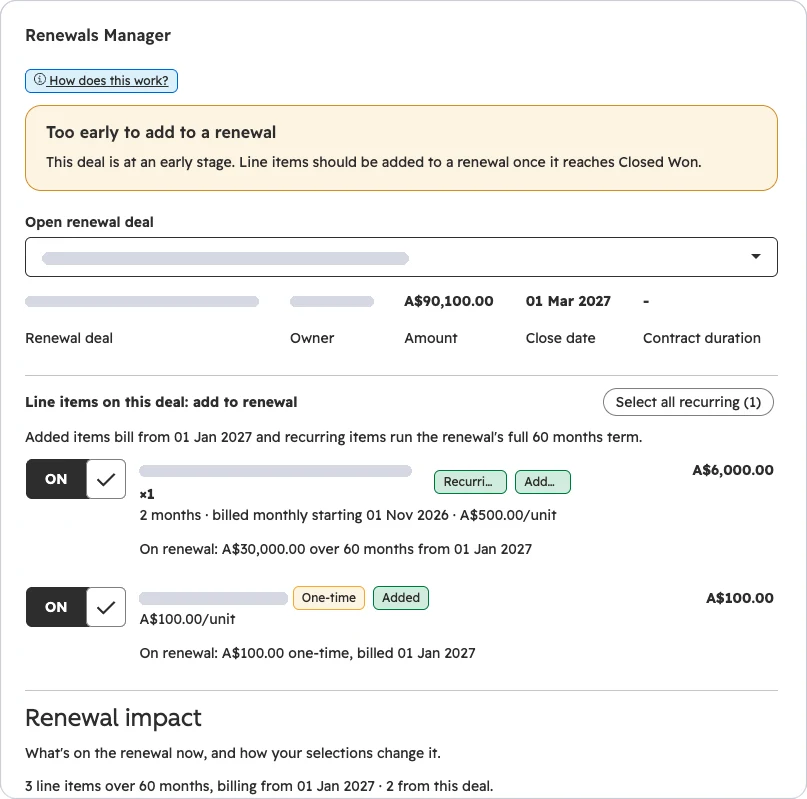
Renewals manager, a HubSpot app with client details blocked out
Renewals managerAdds line items from an upsell onto the right renewal deal, with start dates and terms updated automatically. Where a customer has several renewal contracts, the team picks which one.Technology company
Renewals manager, built-in help, a HubSpot app with client details blocked out
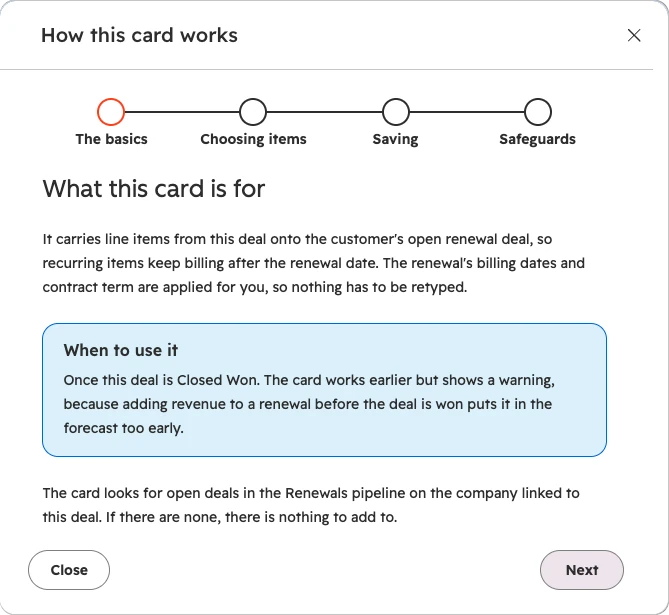
Renewals manager, built-in helpEach card explains itself in a few short steps, so nobody needs a manual.Technology company
Quote builder, a HubSpot app with client details blocked out
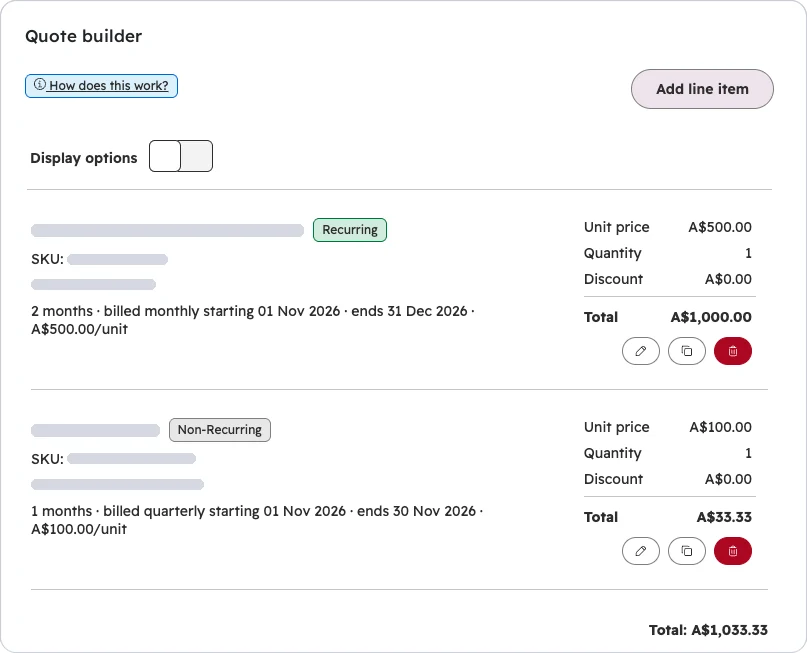
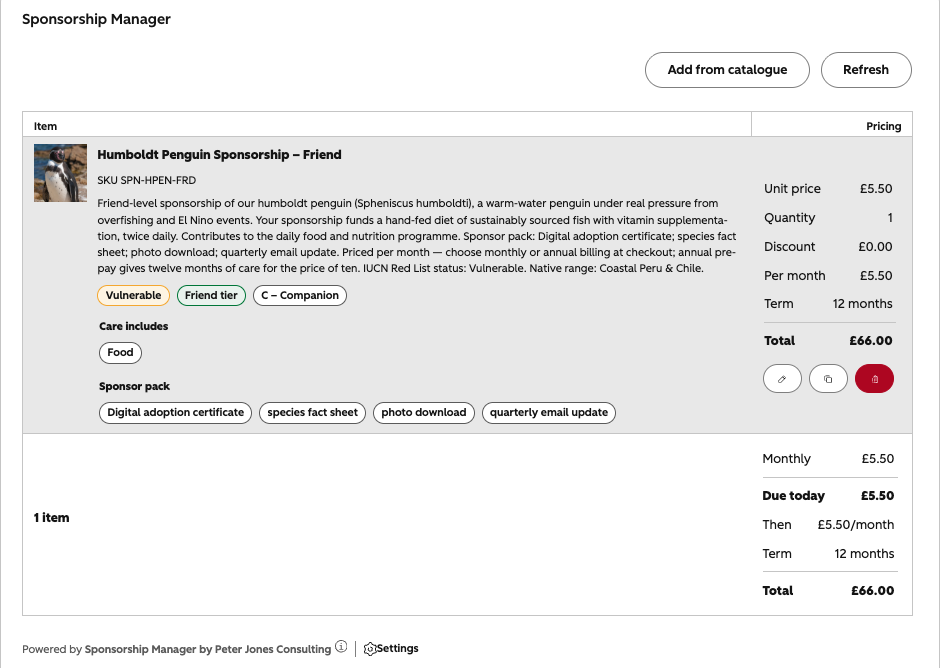
Quote builderLine items from the product library. The deal amount, TCV, ARR and MRR update on every change.Technology company
Quote builder, built-in help, a HubSpot app with client details blocked out
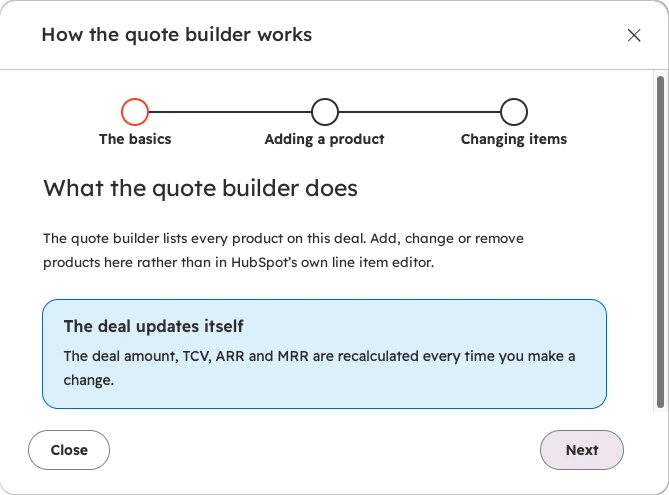
Quote builder, built-in helpWhat the card changes on the deal, and why, before anyone touches it.Technology company
Asset relocate, a HubSpot app with client details blocked out
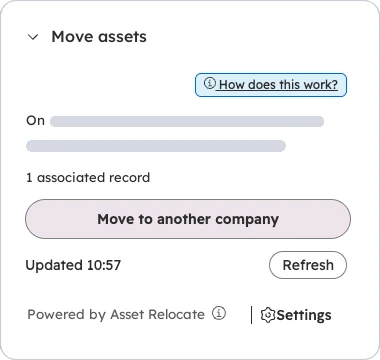
Asset relocateMoves an asset and everything attached to it to another company. A few clicks, hundreds of records moved.UK manufacturer
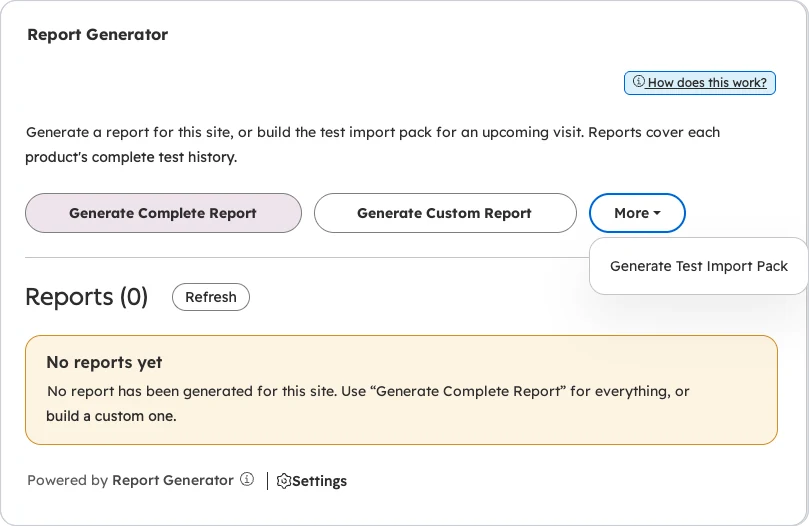
Report generator, a HubSpot app with client details blocked out
Report generatorBranded PDF reports covering hundreds of records, attached to the record in about 30 seconds.UK manufacturer
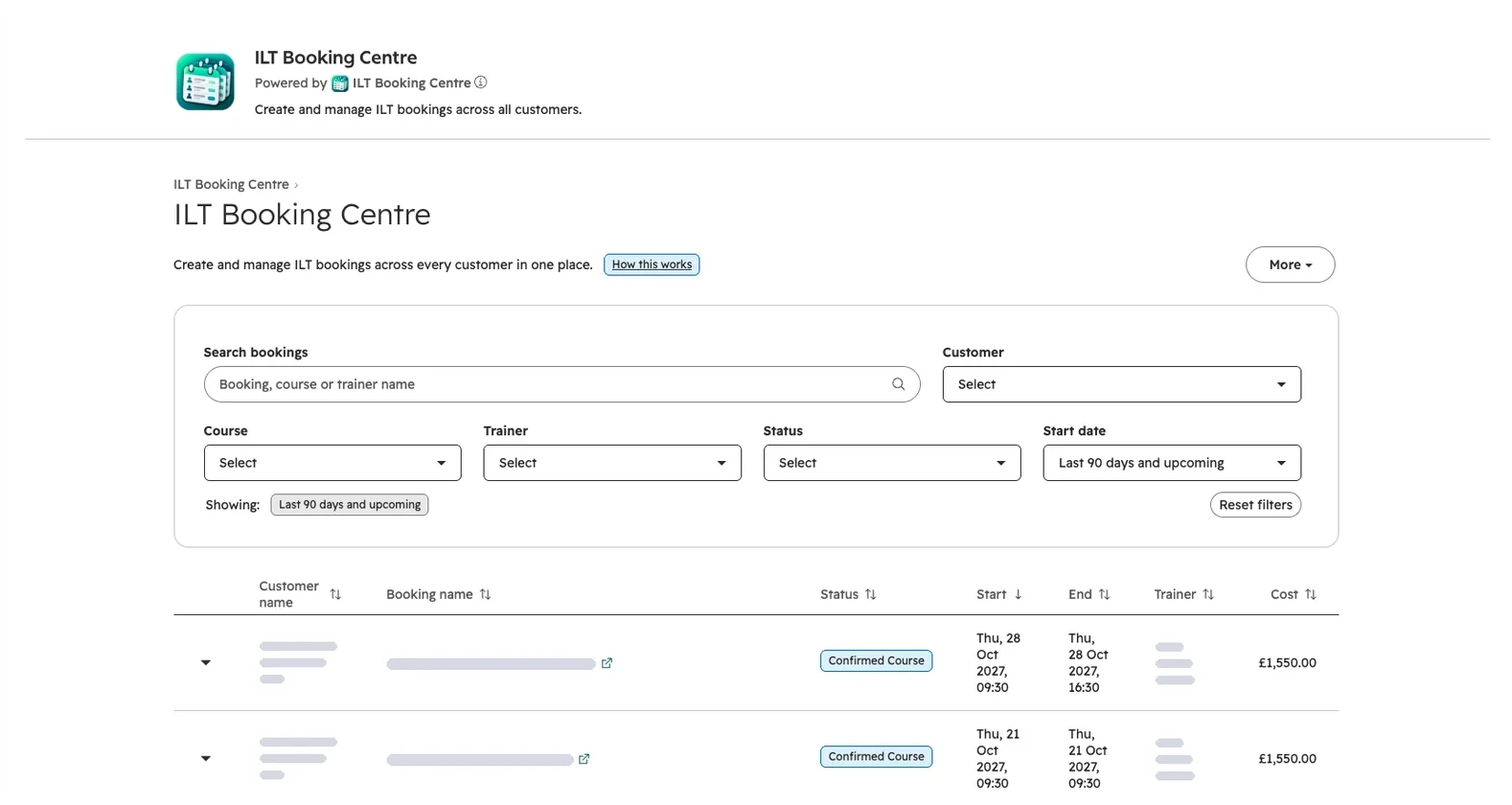
Booking centre, a HubSpot app with client details blocked out
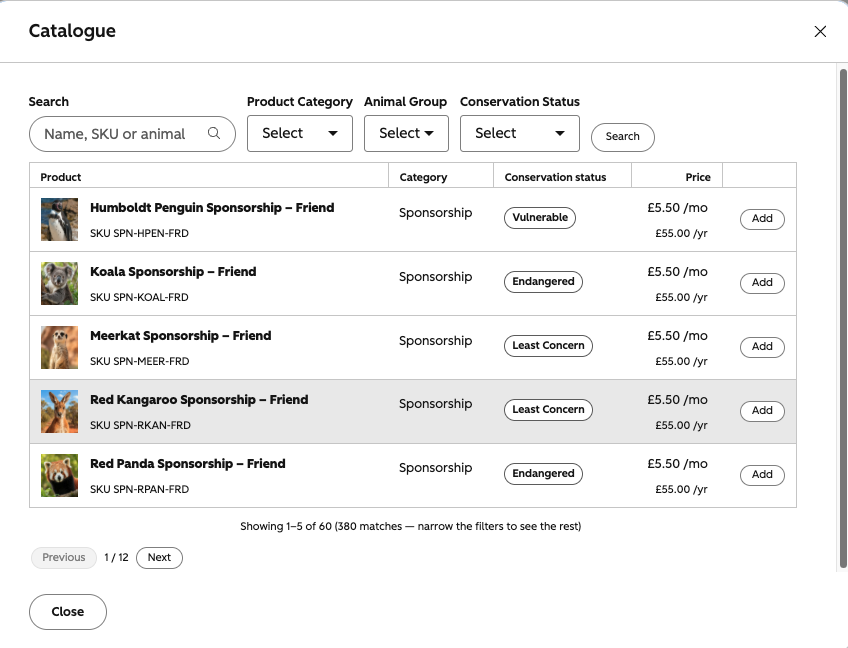
Booking centreEvery training booking across every customer, with search and filters, on one page.Training provider
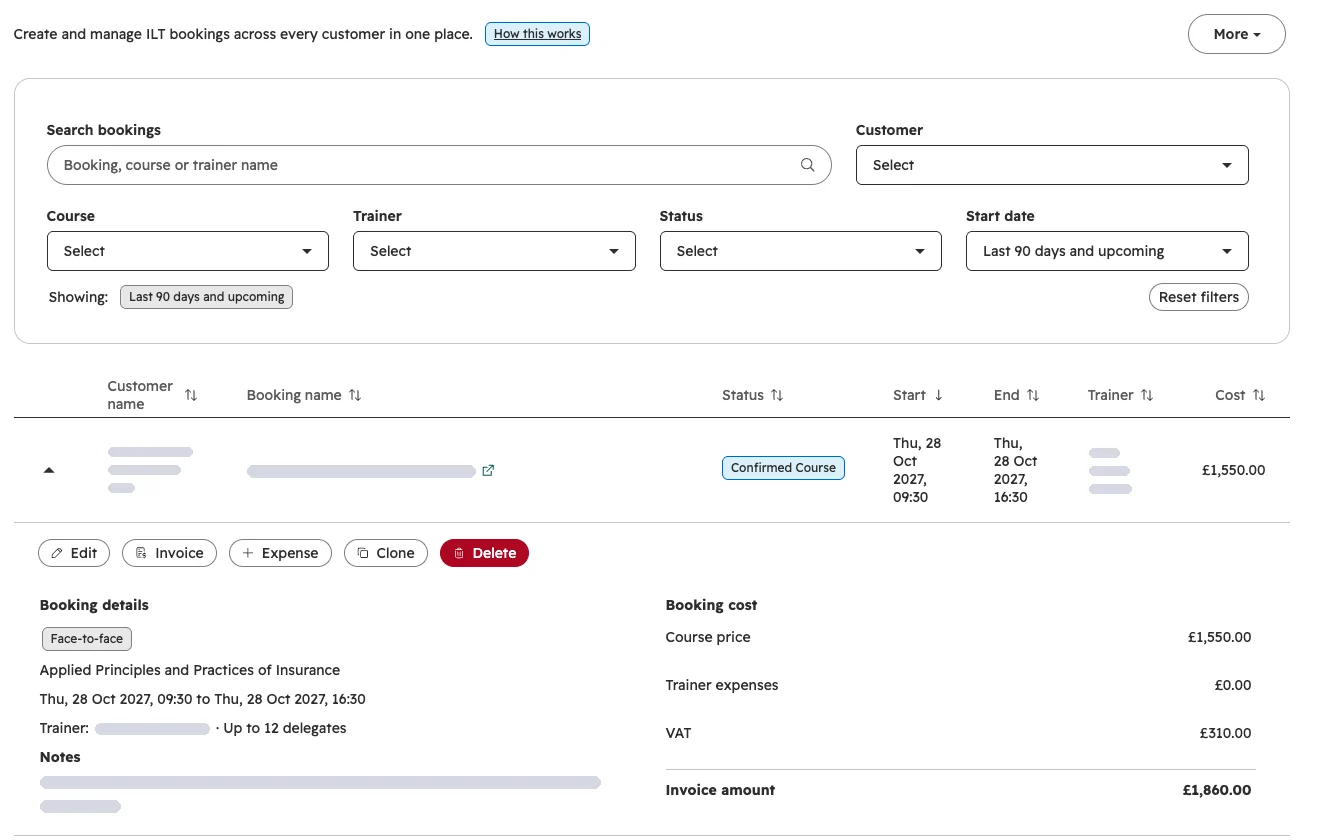
Booking centre, one booking open, a HubSpot app with client details blocked out
Booking centre, one booking openEdit, invoice, add expenses or clone a booking without leaving the list.Training provider

Quote and contract builders on the deal

Live at two clients. At a multi-brand sports media and data group, the sales team logs a contract in three steps: what's being sold, how it's billed, then a review. It only offers options that make sense for each product. After every change the deal's contract value, ARR, MRR and revenue by financial year update themselves, and those figures feed five dashboards with 35 reports. Line items are where HubSpot most often needs something custom. Read the case study.

Renewals manager

Live at a publicly traded global technology company. Every new business deal creates its renewal automatically, with line items, dates, term and owners. When the team sells an upsell, an app adds it to the right renewal, so the renewal shows what the customer is really worth. Read the case study.

Test scheduling and customer reports

Live for a UK manufacturer, one of the largest in its field worldwide, with more than 2,300 customer sites. An app page to manage sites, products and test history, and a card that produces customer test reports as PDFs in up to six languages in about 30 seconds. The team got two weeks of work a month back. See how it works.

Booking card and booking centre

Live for a training provider. A booking card on the customer record with one single-screen form for create, edit and clone, which replaced a nine-step wizard, and a portal-wide booking centre with search, filters and the same form.

The build itself is quick. Most of the time goes on working out exactly what to build. So every app starts with how the team actually works, written down and agreed with you before I write any code.

How I build and release

  1. Spec. A short description of the job, the screens, the data it uses and what done looks like.
  2. Sandbox build. Built and tested on dummy records, never on live data.
  3. Release. Checked before it goes to your live portal, with a way to roll back.
  4. Handover. An in-app "how does this work?" guide, admin notes and a short training session.

Custom apps sit on top of clean data and working integrations. If the data model underneath isn't right, I fix that first through data and CRM architecture. If the app needs to talk to another system, that's integrations.
When HubSpot runs out, I build the rest.

Configuration and plug-in integrations only go so far. I also build the missing pieces on the platform itself, so your team works in HubSpot instead of around it.

App pages
Full screens inside HubSpot for one job: approvals, scheduling, bookings, revenue.
Record cards
Quote builders, renewals managers and configurators on the deal, company or contact.
Functions and integrations
The logic standard automation can't handle, and links to the systems you already run.
See it in real work
A custom card on a HubSpot deal record for managing memberships and products A product catalogue picker built as a HubSpot UI extension

Questions people ask

What's the difference between a UI extension and an app page?

A UI extension is a card that sits on a record, like a quote builder on a deal. An app page is a full screen inside HubSpot that works across many records, like an approvals queue or a revenue dashboard. Most of my builds use both.

Which HubSpot tier do we need?

Enterprise. It usually costs much less than people expect, and the time it saves and the tools it replaces tend to pay for it. I check your edition and seats against the design before quoting, so there's no surprise upgrade halfway through.

Should we build or buy from the HubSpot Marketplace?

Buy if a Marketplace app does the job well. Build when the job is specific to how you sell or operate, or when you'd be paying for several apps and still only getting halfway there. A custom app is built on your data, and you own it.

What happens when HubSpot changes its platform?

I build on HubSpot's current developer platform and check existing apps for anything a platform change will affect, so you hear about it from me before it stops working.

Where to next

Got a job HubSpot can't do yet?

Book a short call. Tell me what the team does outside HubSpot today. I'll tell you whether it needs a custom app, a workflow, or a setting you already pay for.

Book a call